
- Grade Level
- Secondary
- Estimated Time
- Five 45-minute class periods
- Author
- Lynn Wallin
- Updated
- May 22, 2020
- CTE Career Clusters
Teacher Developed Setting
You are a rancher, and you raise sheep. Your 25 sheep are grazing in a large, hilly area surrounded by fences. The area is so large that it is difficult to monitor the entire area even with horses or all-terrain vehicles. You have just purchased a drone to help monitor the sheep. You will need to program a flight plan for the drone and take aerial photographs and videos of the grazing area. You will examine the images captured by the drone’s camera to identify problems and then determine how to resolve them.
Products
Students create a pre-programmed flight plan to simulate monitoring grazing sheep.
Connections
Primary CTE Pathways Explored
| CTE Career Cluster | Pathway(s) |
|---|---|
| Agriculture | |
| Digital Technology | |
| Supply Chain and Transportation |
Related Career Opportunities
- agricultural engineer
- agronomist
- computer programmer
- drone pilot
- farmer
- mechanical engineer
- rancher
- robotics technician
- software developer
- UAV operator
Career and Technical Student Organizations (CTSOs)
During the simulation experience, look for an opportunity to share how CTSOs (for example, FBLA and FFA) promote skill development for associated careers.
College and Career Awareness (CCA) Strands and Standards
- Strand 1 – Standard 1: Explore the relationship of individual interests, skills, and aptitudes for future academic and career goals.
- Strand 1 – Standard 2: Explore and participate in the process of preparing to apply for an entry-level job in relation to future academic and career goals.
- Strand 1 Performance Objective
- Strand 2 – Standard 2: Identify, develop, and demonstrate personal characteristics that promote responsibility, dependability, productivity, high-quality work, and self-initiative.
- Strand 2 – Standard 3: Explore different methods of communication.
- Strand 2 – Standard 4: Apply critical thinking and problem-solving techniques.
- Strand 2 – Standard 5: Identify and demonstrate effective collaboration and teamwork skills.
Cross-Curricular Integration Suggestions
- Science
- Math
- Technology
Foundations
Vocabulary
- drone
- an unmanned aircraft guided by remote control or onboard computers
- force
- a push or a pull on an object
- Global Positioning System (GPS)
- a space-based satellite navigation system that provides location and time information in all weather conditions, anywhere on or near the Earth
- gravity
- the natural force that causes things to fall toward the Earth
- hover
- remain in one place in the air
- lift
- the force that directly opposes the weight of an aircraft in the air
- pitch
- the movement of a drone up or down on a lateral axis
- precision agriculture
- an information technology-based site-specific farm management system that collects and responds to data ensuring that crops receive exactly what they need for optimum health and productivity
- propulsion
- the force that moves something forward
- quadcopters
- a drone with four rotors
- remote control
- a device used to control machines from a distance
- roll
- rolling movement of a drone sideways left or right on a longitudinal axis
- rotor
- a set of rotating blades that turn around a central point and lift an aircraft off the ground
- satellite
- a spacecraft placed in orbit around the Earth, moon, or another planet used to send signals and information as part of a communications system
- survey
- to measure and examine an area of land
- thrust
- the force that causes an aircraft to move forward
- yaw
- rotating movement of an aircraft clockwise or counterclockwise on a vertical axis
Background Information
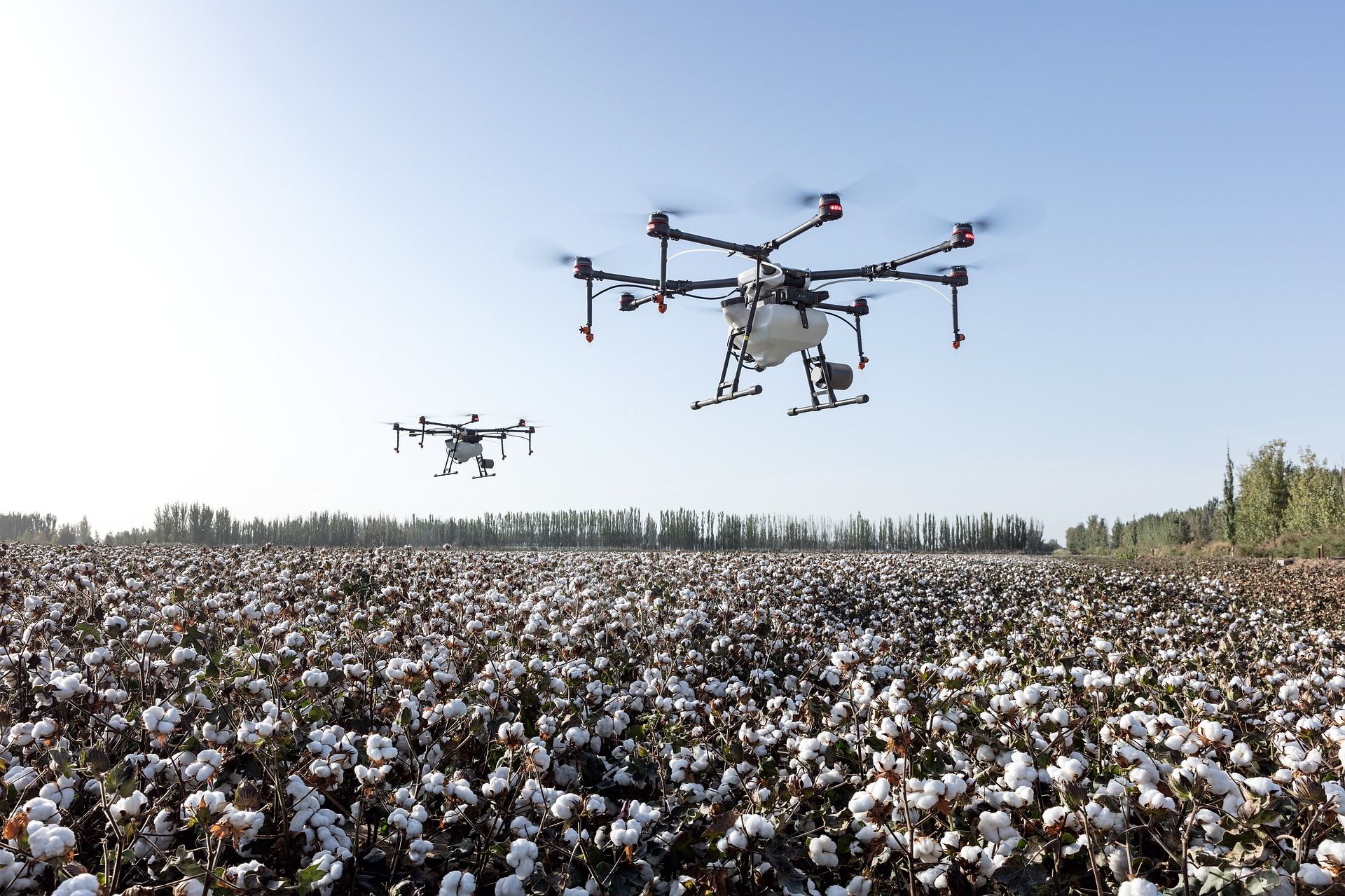
A drone, also known as an unmanned aerial vehicle (UAV), is an unmanned aircraft guided by remote control or onboard computers. Most agricultural drones have either fixed wings or rotors. Drones with four rotors are called quadcopters.
Drone Uses in Precision Agriculture
Drones can increase yields, save time and money, and assist with animal and crop monitoring, planning, and management. The bird’s-eye view of a drone can improve production, efficiency, and yields by identifying small problems before they become big problems. Real-time footage can prevent costly losses and ensure crop success.
Mapping and Crop Health
Drone map creation provides farmers with an accurate view of their fields. Drones equipped with near infrared camera sensors allow the drones to see the spectrum of light that plants use to absorb light for photosynthesis. Using this information, farmers can identify the health of their crop.
Drones can create detailed Global Positioning System (GPS) maps for planning the location of planting to maximize land, water, and fertilizer usage. Precise soil analysis maps produced by drones help direct seed planting patterns, irrigation, and nitrogen-level management. Nutrients, moisture levels, and overall crop health are monitored in real time by drones equipped with hyper-spectral, multispectral, and thermal sensors.
Scanning crops with visible and infrared (IR) light, drones can identify plants infected by bacteria or fungus, helping to prevent diseases from spreading. This technology enables detection of some diseases before they are visible to the human eye.
Imaging and Livestock Monitoring
Drone cameras can take high-resolution images with clear detail. Drones equipped with thermal cameras can assist with irrigation decisions by identifying areas of pooling water or insufficient soil moisture. Thermal imaging cameras can also monitor livestock by checking the herd for injured, sick, missing, or birthing livestock. Drones provide greater resolution than satellites or airplanes because they can be flown lower and more precisely.
Crop Spraying
Crop spraying drones can carry fertilizer, herbicides, pesticides, or fungicides in large liquid storage reservoirs. Applications using drones are less expensive than manual vehicle applicators or crop dusters. Drones follow pre-mapped flight paths and spray crops with precision and accuracy, which can reduce waste and overspraying.
How Drones Work
Flight Paths and Control
Drones can be operated by remote control or by onboard computers with a preset flight path. The flight path of a drone is created by the user on a ground control device (a laptop, tablet, or smartphone). The line of flying is drawn on a map, and the information is transferred or uploaded wirelessly from the ground control device to the drone. The drone follows this flight path, and the user has the option to perform manual overrides if necessary.
Rotors and Lift
Drones with rotors, like quadcopters, use the rotors for propulsion and control. A rotor is like a fan. Spinning blades push air down. Two of the rotors diagonally opposite of each other are spinning clockwise while the other two rotors are spinning counterclockwise.
According to Newton’s third law of motion, for every action there is an equal and opposite reaction, all forces come in pairs. As the rotor pushes down on the air, air pushes up on the rotor. In order for the drone to fly into the air, a force that equals or exceeds the force of gravity must be created. This is called lift.
The faster the rotors spin, the greater the lift. Drones can hover, climb, or descend:
- Hover: thrust = gravity
- Climb: thrust > gravity
- Descend: thrust < gravity
Drone Maneuvers
- Yaw: rotating clockwise or counterclockwise on a vertical axis
- Pitch: moving the drone up or down on a lateral axis
- Roll: moving the drone left or right on a longitudinal axis
The ascent, descent, yaw, pitch, and roll on most quadcopters can be controlled by the throttle sticks on the remote control or by programming a flight plan.
Federal Aviation Administration (FAA) Regulations and Safety Guidelines
All drones that weigh more than 0.55 pounds (250 grams) must be registered with the FAA Drone Registration System. Unmanned aircraft should stay below 400 feet (122 meters). Everyone flying drones should follow these basic safety guidelines at all times:
- Keep the drone in eyesight at all times, and use an observer if needed.
- Remain well clear of and do not interfere with manned aircraft operations.
- Do not intentionally fly over unprotected persons or moving vehicles.
- Contact the airport before flying within five miles of an airport or heliport.
- Do not fly in adverse weather conditions.
- Do not fly under the influence of alcohol or drugs.
- Ensure the operating environment is safe and that the operator is competent.
- Do not fly near or over sensitive infrastructure or property.
- Check and follow all local laws and ordinances.
- Do not conduct surveillance or photography where there is an expectation of privacy.
The FAA mobile app B4UFLY is useful for locating no-fly zones.
Educational Considerations
Before using drones within an educational setting, consult with district administration to evaluate district and school policies, local regulations, and legal implications. Laws surrounding drone use change frequently. For up-to-date information, go to knowbeforeyoufly.org. Information specific to the educational use of drones can be found on the Know Before You Fly Educational Use webpage.
The book Drones in Education by Chris Carnahan, Laura Ziegler, and Kimberly Crowley provides recommendations and information about classroom implementation.
Teacher Preparation
Prior to teaching this simulation plan, familiarize yourself with flying the Tello drone and programming using the DroneBlocks App. The DroneBlocks App is free and compatible with most DJI drones including Phantom 3, Phantom 4, Mavic Pro, Mavic Air, Spark, and Tello.
Activities
Activity 1 (Day 1): Engagement
Formative Assessments
- Drone Uses List
Materials
- gymnasium or large field free of trees or overhead wires
- quadcopter drone (we tested the Ryze Tello Drone; adapt as needed for your model)
- piece of cardboard, wood, foam, or rubber mat for drone takeoff and landing (optional)
Instructional Procedures
- Take the class to a gymnasium or large field free of trees or overhead wires.
- Show the students the quadcopter drone. Explain that drones either have fixed wings or rotors. Drones with four rotors are called quadcopters.
- Perform a demonstration of the quadcopter drone’s capabilities including takeoff, hover, maneuvers in the air, filming video, taking photographs, and landing. If flying the drone outside, a piece of cardboard, wood, foam, or rubber mat for drone takeoff and landing is recommended. Long grass can interfere with the drone’s rotors.
- Arrange the students into small groups. Ask the groups to make a list of different ways in which a drone might be useful to people.
- Have each group share their ideas with the class.
- Explain to the students that they will discover how a drone flies, explore how drones are used in agriculture, and program and operate a drone to monitor grazing sheep.
Activity 2 (Day 2): How Does a Drone Fly?
Formative Assessments
- Class Discussion
Materials
- hair dryer
- ping pong ball
- 2″ × 6″ pieces of paper, 2 per student
- paper clip, 1 per student
- scissors
- rulers
- quadcopter drone (from Activity 1)
- How Do Drones Fly? Video
Instructional Procedures
- Ask the students, “How does a drone fly?” After listening to their responses, lead a discussion about gravity and lift. Integrate the following points into the discussion:
- Gravity is the natural force that causes things to fall toward the Earth.
- Lift is the force that directly opposes the weight of the aircraft and holds the aircraft in the air.
- Quadcopter drones use rotors to help the drone lift off the ground and fly.
- As the rotor pushes down on the air, air pushes up on the rotor.
- In order for the drone to fly into the air, a force that equals or exceeds the force of gravity must be created. This is called lift.
- The faster the rotors spin, the greater the lift.
- Turn on a hair dryer and aim it towards the ceiling. Place a ping pong ball into the stream of the air. Ask the students, “Why is the ping pong ball floating?” (The force of the air pushing up on the ball is equal to the force of gravity pushing down on the ball, so the ball is hovering in the air.)
- Ask the students what they think will happen to the ping pong ball if the hair dryer is turned off. Turn the hair dryer off to show the students that the ball will fall to the ground. Ask the students, “Why does the ping pong ball fall when the hair dryer is turned off?” (The force of the air pushing up on the ball is less than the force of gravity pushing down on the ball.)
- Hand out two 2″ × 6″ pieces of paper and a paper clip to each student. Instruct the students to crumple one of the pieces of paper into a ball. Use the following instructions to make a rotor with the other piece of paper:
- Hold the paper so that the 2″ edges are at the top and bottom.
- Fold the paper in half vertically.
- Unfold the paper, and draw a horizontal line 2″ from the top and a horizontal line 3″ from the bottom.
- From the top, cut down the middle fold to the 2″ line. Fold one of the flaps forward and the other flap backward on the line to make the rotor’s blades.
- On the other line, make a mark 5/8″ from the right. Make a cut along the line from the right, stopping at the 5/8″ mark.
- On the same line, make a mark 5/8″ from the left. Make a cut along the line from the left stopping at the 5/8″ mark.
- Draw a line from each 5/8″ mark to the bottom of the paper. Fold the paper into the middle along each of these lines.
- Draw a horizontal line 1″ from the bottom. Fold the paper along this line and place a paper clip on the fold.
- Have the students carefully stand on their chairs and drop their crumpled ball and their rotor (paper clip facing down) at the same time from the same height.
- Ask the students, “Which stayed in the air the longest, the crumpled ball or the rotor?” (the rotor) “Why did the rotor stay in the air longer?” (The design of the rotor causes the blades to spin as it falls through the air. The spinning blades generate enough lift to slow the rotor down.)
- Show the students the rotors on the quadcopter drone. Clarify that, unlike the paper rotor, the drone’s rotors are powered by motors that can create and maintain a force that is equal to or greater than the force of gravity. The rotors help the drone lift off the ground and fly.
- Show the students the How Do Drones Fly? Video for an explanation of how rotors help drones move in different directions.
- Provide a demonstration about how to fly the class drone using a smartphone or tablet as a remote control. Include an explanation of the safety guidelines listed in Foundations → Background.
Activity 3 (Day 3): Drones in Agriculture
Formative Assessments
- Agricultural Drones Discussion Guide
Materials
- Agricultural Drones Book by Simon Rose, 1 per group
- Agricultural Drones Discussion Guide, 1 per student
- Agricultural Drones Discussion Guide Answer Key
- blank 8 1/2″ × 11″ paper, 1 per student
- scissors
- Sheep Farming Prezi
Instructional Procedures
- Organize the class into three groups. Hand out an Agricultural Drones Discussion Guide to each student, and provide each group with a copy of Agricultural Drones by Simon Rose. Assign one group to read chapter 2, one group to read chapter 3, and one group to read chapter 4.
- After reading their assigned chapter together, have each group discuss the chapter and work together to complete the corresponding section of the Agricultural Drones Discussion Guide. Students may take notes on their blank 8 1/2″ × 11″ paper and use scissors if creating tabs or section dividers.
- Reorganize the class into groups of three students that include a representative from each of the three chapters. Each representative should take a turn summarizing their assigned chapter and help the rest of the group complete that section of the Agricultural Drones Discussion Guide.
- After the discussion guides have been completed, view the Sheep Farming Prezi to lead a class discussion about the usefulness of drones for raising sheep.
Activity 4 (Days 4–5): Drone Mission
Summative Assessments
- Drone Mission Activity Packet
- Flight Plan
Materials
- gymnasium or large rectangular field free of trees or overhead wires
- quadcopter drone (from Activity 1)
- piece of cardboard, wood, foam, or rubber mat for drone takeoff and landing (optional)
- smartphone or tablet
- DroneBlocks App
- Drone Mission Activity Packet, 1 per student
- Sheep Cards, print and cut out 27 cards
- Ranch Problem Signs
- colored poster paper
- DroneBlocks Facebook Group
- career information websites:
Days 4–5 Instructional Procedures
- Before Activity 4, identify a gymnasium or large rectangular field to represent a sheep ranch.
- Organize the class into groups of four and assign each group a number (1–9). Hand out the Drone Mission Activity Packet to each student.
- Read the farming challenge aloud:“You are a rancher, and you raise sheep. Your 25 sheep are grazing in a large, hilly area surrounded by fences. The area is so large that it is difficult to monitor the entire area even with horses or all-terrain vehicles. You have just purchased a drone to help monitor the sheep. You will need to program a flight path for the drone and take aerial photographs and videos of the grazing area. Examine the images captured by the drone’s camera to identify problems, and determine how to resolve the problems.”
- Model how to fly the quadcopter drone manually and capture video by flying around the perimeter of the ranch. Fly and video three separate drone missions. Before each mission, set up the field/gym according to:
- Groups 1, 2, and 3: Place 22 Sheep Cards on different spots and 4 pieces of colored poster paper along the perimeter. Attach four “broken fence” Ranch Problem Signs (one per poster).
- Groups 4, 5, and 6: Place 27 Sheep Cards and 4 pieces of colored poster paper on different spots. Attach four “lambing ewe” Ranch Problem Signs (one per poster).
- Groups 7, 8, and 9: Place 24 Sheep Cards and 4 pieces of colored poster paper on different spots. Attach one “leaking water trough,” one “coyote sighted,” and two “sick sheep” Ranch Problem Signs (one label per poster).
- Using their video footage, groups should:
- Count the sheep. Are any missing? Have any lambs been born?
- Map problem areas in the rectangle under “Step 1” of the packet.
- Assign numbers 1–4 to the problem areas.
- Have each group take turns manually flying the drone over the ranch and photographing each problem area. Each student flies to and photographs one area:
- Student 1: problem area 1
- Student 2: problem area 2
- Student 3: problem area 3
- Student 4: problem area 4
- Reset the field/gym as described in Step 4 before the next group flies.
- Groups examine their photos and record the problems and proposed solutions in the packet.
- Explain that the previous missions were flown manually via a remote (smartphone/tablet). Farmers may also program repeatable flight plans for routine monitoring.
- In groups, plan a programmed flight path over the problem areas using the packet’s command list. Requirements:
- Start anywhere along the perimeter.
- Take off and land at the same location.
- Fly over every problem area and hover for 5 seconds at each.
- Check each plan for safety and feasibility; have groups adjust as needed.
- Groups enter their plans into the DroneBlocks App by dragging/dropping the blocks.
- Allow time to launch and test each mission. Groups check the boxes in “Step 4” of the packet for each requirement met; iterate until all are satisfied. If the Tello occasionally ignores a programmed command, add a 2-second hover before that command. See the DroneBlocks Facebook Group for troubleshooting ideas.
- Discuss benefits of a drone’s bird’s-eye view:
- Monitor large areas that are hard to cover otherwise.
- Improve production, efficiency, and yields by catching small issues early.
- Apply solutions with precision, saving time, money, and resources.
- Have students choose a career in from the clusters explored in this plan to research. See Connections → Related Career Opportunities for example careers. Students can use the career information websites to complete their research. Each student should report the career description, education/training requirements, career outlook, and average salary.
- Wrap up by reviewing:
- A drone is an unmanned aircraft guided by remote control or onboard computers.
- Flight requires creating lift equal to or greater than gravity.
- Agricultural uses include mapping, surveying, monitoring, planting, crop dusting, and spraying.
- Agricultural drones can increase yields, save time/money, and assist with animal and crop monitoring, planning, and management.
Comments (0)